

What is chatbot testing?
Chatbot testing checks whether a chatbot answers as expected in defined conversation situations. Automated means the conversations aren’t typed in by hand. A testing tool holds and evaluates them instead. That way you can repeat them after every change to the bot, the prompt or the language model.
How gentesty tests a chatbot
Step 1
Describe the scenario
You write down what the user wants and what the outcome should be. Example: Tim reports broken sunglasses to his insurance company.
Step 2
gentesty holds the conversation
gentesty chats with the bot in Tim’s place and plays through the dialog from start to finish.
Step 3
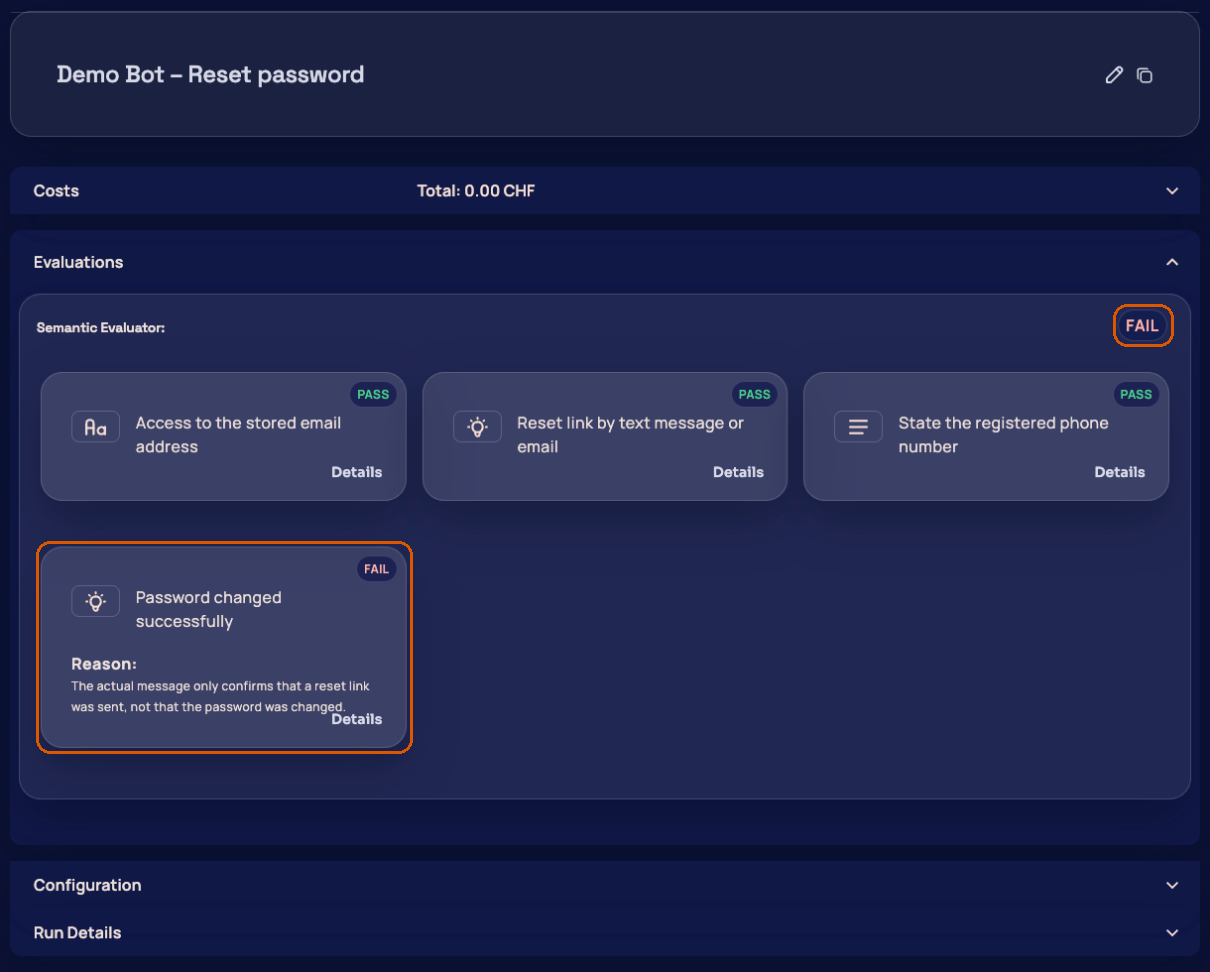
Evaluate the conversation
Language models compare the actual result with the expected one, literally or by meaning. Each expected statement gets a verdict with an explanation.
Step 4
Decide on the release
You see which scenarios passed and which didn’t, and decide on the release based on that.
The getting started guide takes you from an empty workspace to your first evaluated test run.
When automated chatbot tests pay off
Before every release
The same scenarios run before every deployment. Anything that worked before and now fails shows up before customers notice it.
After a model or prompt change
A new language model or a changed prompt shifts the bot’s behavior. The test runs show exactly where.
Continuously in production
Scheduled test runs check the bot regularly and report failures by email, Slack, Microsoft Teams or Rocket.Chat (Business and up).
More in our articles: Regression testing for chatbots and voicebots.
Which chatbots you can connect
Ready-made integrations exist for Vapi, Kore.ai and Dialogflow. You connect any other chatbot with a web chat interface through its URL: gentesty analyzes the page and sets up the integration automatically. The guide Connect your own chatbot walks you through it step by step.
Are you testing a voicebot by phone? It has its own page: Voicebot testing.
Manual or automated testing?
| Question | Manual | With gentesty |
|---|---|---|
| Who holds the conversation? | One person types | gentesty |
| Repeatable? | New every time | The same test case, as often as you like |
| Result | The person’s impression | Evaluation per test run, comparable across releases |
| Effort per release | Grows with every case | The test cases run on their own |
Frequently asked questions about chatbot testing
Do I have to change my chatbot to test it?
No. gentesty tests from the outside: through one of the ready-made integrations or through the web chat interface your customers use. Nothing changes on the bot itself.
Does it work with bots that phrase things differently every time?
Yes. The evaluation doesn’t just compare word for word, it also compares meaning. An answer that is worded differently but correct passes the test.
How much does automated chatbot testing with gentesty cost?
The Free plan costs nothing and includes one bot and 10 test minutes per month. Pay as you go costs a base fee of CHF/EUR 20 per month plus usage, Business costs CHF/EUR 120 per month plus usage. All details are on the Pricing page.
Can I add the tests to a CI pipeline?
Yes, with the Enterprise plan through the API: a script starts the test runs and reads the results. The API guide shows the steps.
Where is conversation data processed?
The platform and databases run in Frankfurt, Germany. The provider is b-nova Schweiz GmbH, Basel, Switzerland. The list of all subprocessors is public.